Period status and locked time
Your hours are approved one period at a time (a day, a week, or a month). Each of your periods has a status. The status tells you whether you can still change the hours, whether an approver is deciding, and whether the period is finished. You see these statuses on List View and in Approvals.
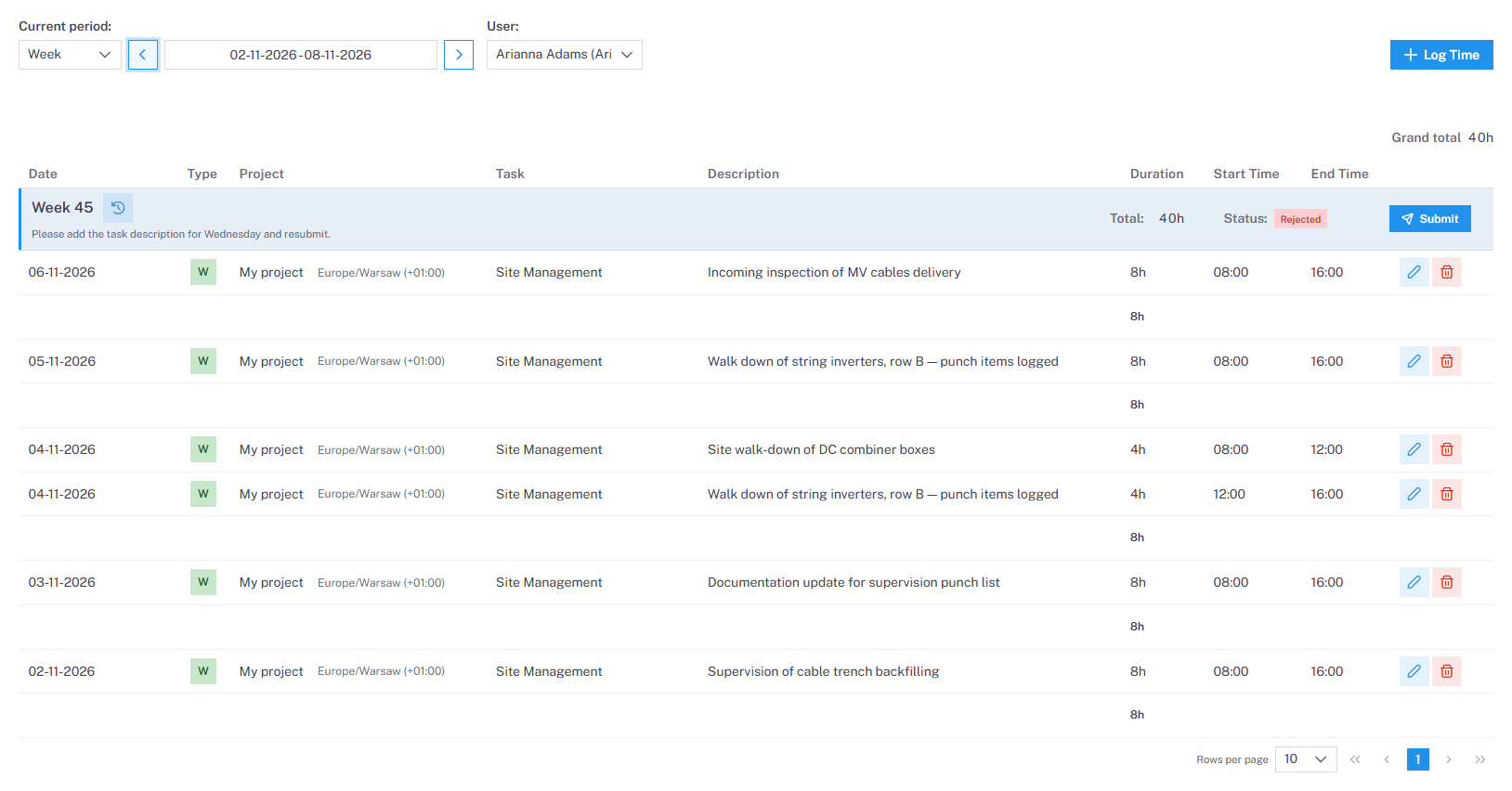
The four statuses
| Status | What it means |
|---|---|
| In progress | You can still add and change hours. The period has not been sent yet, or it came back to you because you unsubmitted it, changed a rejected period, or edited hours while it was still Pending. |
| Pending | You submitted the period. Approvers can approve or reject it. You can still Unsubmit your own submission to edit again before they decide. |
| Approved | An approver accepted the period. The hours in that period are locked. |
| Rejected | An approver sent the period back with a comment. You can correct the hours and submit again. |
Your organization decides whether a period is a day, a week, or a month. The same choice applies to everyone. See Organization approval period.
When time is locked
Once a period is Approved, you cannot create, change, or delete time logs for dates inside that period. Time-it shows an error if you try. The message asks you to contact the approver and request that they reject the existing approval first.
Only approval locks time. Separately, you cannot log time on a SUM-IT project that is closed or not open yet, even when your period is still open.
If you spot a mistake while a period is Pending, click Unsubmit, fix it, and submit again. That is quicker than asking an approver to reject it later. You can also edit the hours directly; that moves the status back to In progress.
Usual path
- Log time while the period is In progress.
- You submit the period on List View. It becomes Pending.
- An approver approves it (Approved, and the hours are locked) or rejects it (Rejected, and it comes back to you).
- After a rejection, correct the entries (status returns to In progress), then submit again.
Only an approver can unlock an Approved period by rejecting it. Until that happens, nobody can change the locked time logs.